ntroduction
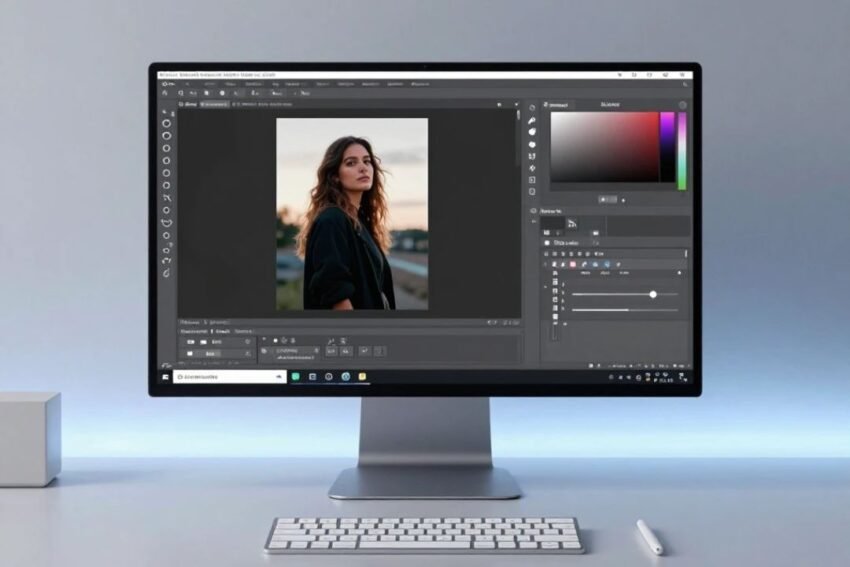
The future of Photoshop editing techniques is being shaped by artificial intelligence, automation, generative technology, smarter selection tools, and increasingly powerful image-processing capabilities. Adobe Photoshop has already evolved beyond traditional photo manipulation, giving photographers, designers, marketers, and digital artists new ways to edit and create visual content.
Traditional Photoshop editing requires users to manually adjust colors, remove objects, create selections, build masks, retouch photographs, and combine multiple images. These skills remain important, but modern AI-assisted features can reduce the amount of repetitive work involved in many editing tasks.
The next generation of Photoshop editing will likely combine human creativity with AI assistance. Instead of replacing professional editors, intelligent tools can help them complete technical tasks faster while allowing them to focus on composition, storytelling, visual style, and creative decisions.
This guide explores the future of Photoshop editing techniques, including AI-powered editing, automation, generative tools, intelligent masking, advanced retouching, color workflows, and the skills editors should develop.
What Is the Future of Photoshop Editing?
The future of Photoshop editing involves combining traditional image-editing techniques with intelligent technologies.
Modern editing can include:
- AI-assisted selections
- Automated object removal
- Generative image editing
- Smart masking
- Automated color correction
- Advanced retouching
- Image expansion
- Background generation
- Batch processing
- Intelligent design workflows
These technologies can make complicated editing processes faster.
However, Photoshop skills such as layers, masks, color correction, compositing, and typography remain essential because users still need to control and evaluate the final result.
Artificial Intelligence in Photoshop Editing
Artificial intelligence is one of the biggest developments influencing Photoshop.
AI-powered systems can analyze image content and recognize objects, people, backgrounds, and other visual elements.
This can assist with tasks such as:
- Subject selection
- Object removal
- Background editing
- Image expansion
- Retouching
- Generative modifications
Instead of manually performing every step, users can provide instructions or use intelligent tools to create a starting point.
The editor can then refine the result.
AI-Powered Object Selection
Selecting complex objects has traditionally been a time-consuming task.
Objects may contain:
- Hair
- Fur
- Transparent edges
- Complex shapes
- Fine details
AI-assisted selection can identify many of these elements more quickly than manual selection.
This is useful for:
- Portraits
- Product photography
- Advertising
- Social media graphics
- Creative composites
However, automatic selections should still be reviewed because small inaccuracies can affect the final image.
Smarter Background Removal
Background removal is another area where AI can improve Photoshop workflows.
A smart editing system can potentially identify the main subject and separate it from the background.
After creating the selection, editors can:
- Remove the background
- Replace it
- Blur it
- Change its colors
- Add another environment
- Create a transparent image
This can save significant time for e-commerce businesses and photographers.
Fine edge refinement remains important, particularly around hair and transparent objects.
Generative AI and Photoshop
Generative AI is changing how digital images can be created and modified.
Instead of only editing existing pixels, generative technologies can help create new visual content based on instructions.
Potential applications include:
- Expanding photographs
- Replacing objects
- Creating backgrounds
- Modifying environments
- Adding visual elements
- Exploring creative concepts
Generative editing can make experimentation much faster.
However, generated content should be reviewed for accuracy, realism, licensing considerations, and consistency with the original image.
Generative Fill and Creative Workflows
Generative Fill-style workflows can help users modify selected areas of an image.
For example, an editor might want to:
- Add an object
- Remove an object
- Replace part of a background
- Extend an environment
- Change a visual element
The technology can provide generated results that users can review and refine.
This is particularly useful during concept development because editors can explore several possibilities without manually creating every element from scratch.
Automated Color Correction
Color correction is another area where AI can assist.
Traditional color correction may involve:
- Exposure
- White balance
- Contrast
- Highlights
- Shadows
- Saturation
- Hue
Future AI systems can potentially analyze these characteristics and suggest adjustments automatically.
This could be especially useful when working with large collections of photographs.
However, automatic color correction should remain adjustable because different photographers may have different creative preferences.
AI-Powered Color Matching
Maintaining consistent colors across a large collection of images can be difficult.
AI-assisted color matching may help photographers create more consistent results.
For example, an editing system could analyze a reference image and help match another photograph’s:
- Color temperature
- Contrast
- Saturation
- Tonal range
- Overall visual appearance
This could be valuable for:
- Weddings
- Fashion photography
- Product catalogs
- Real estate photography
- Brand campaigns
Consistency is especially important when multiple images appear together.
Intelligent Portrait Retouching
Portrait retouching can also benefit from AI.
AI-assisted workflows may help identify:
- Temporary blemishes
- Hair distractions
- Uneven lighting
- Background objects
- Facial areas
This can speed up repetitive retouching tasks.
However, professional editors should maintain control over the final appearance.
Excessive automated smoothing can remove natural skin texture and make portraits look unrealistic.
Advanced Skin Retouching
Future Photoshop workflows may provide more precise control over skin without affecting other parts of the image.
An intelligent system could potentially separate:
- Skin
- Hair
- Eyes
- Clothing
- Background
This could make selective editing easier.
Editors can then adjust individual areas without applying the same effect across the entire photograph.
Natural-looking results should remain the main objective.
Automated Object Removal
Removing unwanted objects can be one of the most repetitive Photoshop tasks.
Examples include:
- People in backgrounds
- Cables
- Signs
- Dust
- Small distractions
- Unwanted objects
AI-assisted removal tools can analyze surrounding pixels and generate replacement content.
Simple backgrounds are usually easier to repair, while complex environments may still require manual cloning and cleanup.
Smarter Layer Masks
Layer Masks are already an essential part of Photoshop.
Future AI technology can make mask creation more intelligent.
Instead of manually painting a mask, users may be able to identify an object or area and have Photoshop create an initial mask automatically.
This could make selective editing faster.
Masks can then be refined manually for precise results.
Automated Batch Editing
Professional photographers may need to process hundreds or thousands of images.
Manually editing every photograph can take considerable time.
Automation can help apply consistent adjustments across a collection.
A future workflow could include:
- Analyze the photographs.
- Group images based on lighting.
- Identify common color problems.
- Apply suggested corrections.
- Match the images to a reference style.
- Review unusual results.
- Export approved photographs.
This can make large projects more efficient.
Human review remains important for images that require individual attention.
Photoshop and Workflow Automation
Automation can connect Photoshop editing with broader creative workflows.
For example, businesses may eventually combine image editing with:
- Content management
- Marketing systems
- E-commerce platforms
- Digital asset libraries
- Social media workflows
This can reduce repetitive manual steps.
An image could potentially move through a workflow involving editing, resizing, formatting, organization, and publishing.
Automation is particularly useful when the same process must be repeated regularly.
Object-Aware Editing
Future editing tools are likely to become increasingly object-aware.
Instead of treating an image simply as a collection of pixels, software can understand different visual components.
For example, it could recognize:
- Sky
- Person
- Building
- Vehicle
- Clothing
- Product
- Vegetation
This makes selective editing easier.
A user could adjust the color of one object without manually selecting it every time.
Photoshop for E-Commerce
E-commerce businesses often process large product catalogs.
Photoshop editing techniques can help create consistent product images.
Future automation could assist with:
- Background removal
- Product color correction
- Image resizing
- Shadow creation
- Dust removal
- Lighting adjustments
- Catalog consistency
Automation could reduce the amount of repetitive work required by e-commerce teams.
However, product color accuracy remains important because customers should not be misled by unrealistic editing.
Photoshop for Social Media
Social media content needs to be produced quickly.
Creators often require multiple image formats for different platforms.
Future Photoshop workflows may automate:
- Resizing
- Cropping
- Background changes
- Color adjustments
- Branding
- Text placement
An editor could create one design and generate variations for different platforms.
This can save time while maintaining a consistent visual identity.
AI-Powered Creative Effects
AI can also help with experimental design.
Users may be able to explore different:
- Lighting styles
- Environments
- Color palettes
- Visual effects
- Artistic concepts
This can be useful during brainstorming.
Rather than spending hours creating every experiment manually, editors can use AI to generate starting points and then refine the strongest ideas.
Photoshop and Digital Art
Digital artists can also benefit from AI-assisted workflows.
AI can help artists explore:
- Background concepts
- Composition ideas
- Textures
- Lighting
- Color palettes
- Visual variations
However, professional digital art still depends heavily on artistic direction.
The artist determines composition, storytelling, style, and final quality.
AI can become another tool within the creative process.
The Importance of Non-Destructive Editing
As AI becomes more powerful, non-destructive editing will remain important.
Professional editors need to be able to:
- Change AI-generated content
- Revert edits
- Modify masks
- Compare versions
- Adjust effects
- Preserve original images
Adjustment Layers, Layer Masks, Smart Objects, and Smart Filters can help maintain flexibility.
An intelligent workflow should not prevent the editor from making manual changes.
Human Creativity in the AI Era
AI can automate many technical tasks, but creative judgment remains essential.
Editors still need to decide:
- What should be changed?
- What should remain untouched?
- Which colors fit the image?
- What mood should the photograph communicate?
- Is the result realistic?
- Does the final design meet the project’s purpose?
These decisions require visual understanding and creative thinking.
AI can produce possibilities, but humans determine which possibilities are appropriate.
Photoshop Editing Skills for the Future
Editors who want to remain effective should develop both traditional and modern skills.
Important fundamentals include:
- Layers
- Layer Masks
- Selections
- Curves
- Levels
- Color correction
- Color grading
- Retouching
- Compositing
- Typography
Modern skills can include:
- AI-assisted editing
- Generative workflows
- Automated selections
- AI-powered masking
- Workflow automation
- Prompt-based creative tools
Combining both skill sets can provide greater flexibility.
Common Risks of AI-Powered Photoshop Editing
AI-assisted editing also introduces challenges.
Incorrect Results
AI may generate content that does not match the original scene.
Unrealistic Details
Generated objects can contain visual inconsistencies.
Over-Editing
Automatic adjustments may become too strong.
Loss of Original Style
Heavy automation can make images look similar.
Privacy Considerations
Users should understand how images are processed, particularly when working with sensitive content.
Copyright and Licensing
AI-generated or modified content may raise questions about rights and permitted uses.
These considerations are important for professional workflows.
Best Practices for Future Photoshop Editing
To use AI and automation effectively:
Keep the Original
Always preserve an untouched source file when possible.
Use Non-Destructive Methods
Use Adjustment Layers, masks, and Smart Objects.
Review AI Results
Do not assume automated results are perfect.
Make Manual Corrections
Refine generated content where necessary.
Avoid Excessive Effects
Keep the final image appropriate for its purpose.
Maintain Consistency
Use references and repeatable workflows for professional projects.
Learn Traditional Tools
AI works best when users understand fundamental editing principles.
A Future Photoshop Editing Workflow
A modern workflow could look like this:
Step 1: Import the Image
Start with the highest-quality source available.
Step 2: Analyze the Photograph
Identify exposure, color, composition, and distracting elements.
Step 3: Apply AI-Assisted Corrections
Use intelligent tools to create a starting point.
Step 4: Refine the Selection and Mask
Check edges and important details.
Step 5: Perform Manual Adjustments
Use Curves, Levels, Color Balance, and other tools.
Step 6: Retouch
Remove unwanted distractions and improve important details.
Step 7: Apply Creative Grading
Create the desired visual style.
Step 8: Review AI-Generated Areas
Look for unrealistic details or inconsistencies.
Step 9: Compare With the Original
Make sure the editing has improved the image.
Step 10: Export
Save the appropriate final format for the intended platform.
Future Trends in Photoshop Editing Techniques
Several trends are likely to influence Photoshop editing.
More Intelligent AI Tools
AI will likely become better at understanding image context.
Automated Editing
Routine adjustments may require fewer manual steps.
Advanced Generative Editing
Users may have greater control over generated image elements.
Smarter Masking
Object-aware masks can make selective editing easier.
Personalized Workflows
Editing systems may provide recommendations based on user preferences.
Faster Batch Processing
Large collections of photographs may become easier to edit consistently.
Integrated Creative Workflows
Photoshop may increasingly connect editing with broader digital content workflows.
How Beginners Can Prepare for the Future
Beginners should focus on fundamentals before relying heavily on AI.
Start by learning:
- Layers
- Masks
- Selections
- Cropping
- Exposure
- Color correction
- Curves
- Retouching
- Compositing
- Basic color theory
Once these skills are understood, AI-assisted tools become much easier to evaluate and control.
The goal is not simply to generate an edited image but to understand why the result works.
Conclusion
The future of Photoshop editing techniques will likely be defined by a combination of artificial intelligence, automation, generative technology, advanced masking, and human creativity.
AI can help with selections, background removal, object editing, color correction, retouching, image expansion, and repetitive workflows. These capabilities can significantly reduce editing time and make complex tasks more accessible.
However, professional Photoshop editing will continue to depend on human judgment. Composition, color, lighting, realism, storytelling, and visual style cannot simply be reduced to automatic settings.
The most effective approach is to use AI as a powerful assistant while maintaining control over the final image. Traditional skills such as layers, masks, Curves, color correction, retouching, and compositing remain valuable because they allow editors to evaluate and refine automated results.
The future of Photoshop editing is not about choosing between AI and human creativity. It is about combining intelligent technology with professional editing skills to create faster, smarter, and more flexible workflows.
As Photoshop continues to evolve, photographers, designers, and content creators who understand both traditional editing techniques and modern AI tools will be better prepared for the next generation of digital image creation.