Introduction
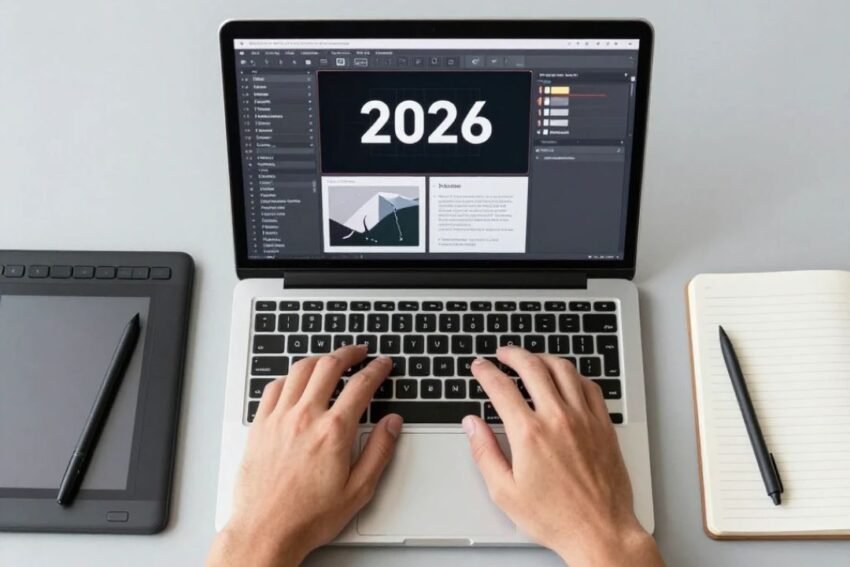
Photoshop graphic design trends in 2026 are being shaped by artificial intelligence, generative editing, automation, responsive content, bold visual styles, and faster creative workflows. Adobe Photoshop continues to be an important tool for photographers, graphic designers, marketers, social media creators, and businesses that need professional visual content.
Graphic design is changing rapidly because digital content is now produced for many platforms. A single campaign may require social media posts, advertisements, website graphics, thumbnails, banners, product images, and mobile-friendly designs. Photoshop provides flexible tools that allow designers to create and adapt these assets efficiently.
Artificial intelligence is one of the biggest developments influencing Photoshop workflows. AI-assisted selection, object removal, generative editing, and automated image adjustments can reduce repetitive work and allow designers to spend more time on creative decisions.
At the same time, traditional design principles remain important. Typography, composition, color theory, hierarchy, contrast, and visual storytelling continue to determine whether a design communicates effectively.
This guide explores the top Photoshop graphic design trends in 2026, including AI-powered editing, generative design, modern typography, visual effects, social media design, automation, and the skills designers should develop.
1. AI-Powered Graphic Design
Artificial intelligence is becoming an increasingly important part of Photoshop graphic design.
AI-assisted features can help designers with tasks such as:
- Selecting objects
- Removing unwanted elements
- Creating backgrounds
- Expanding images
- Generating visual content
- Improving image editing workflows
- Exploring creative variations
These capabilities can reduce the time spent on repetitive tasks.
Instead of manually completing every technical step, designers can use AI to create an initial result and then refine it using traditional Photoshop tools.
This combination allows designers to maintain creative control while working more efficiently.
2. Generative AI for Creative Editing
Generative AI is one of the most important Photoshop graphic design trends in 2026.
Generative technology can help create or modify parts of an image based on instructions.
Designers can potentially use generative workflows to:
- Extend backgrounds
- Replace objects
- Add visual elements
- Create alternative compositions
- Modify environments
- Experiment with creative concepts
This makes the design process more flexible.
For example, a designer working on an advertisement may generate several background concepts before choosing one that matches the product and brand.
Human review remains important because generated content may require additional editing.
3. Smarter Object Selection
Object selection is another area where AI is improving Photoshop workflows.
Selecting complex subjects manually can take considerable time, especially when images contain:
- Hair
- Fur
- Transparent areas
- Detailed edges
- Complex backgrounds
AI-assisted selection tools can identify objects and subjects more quickly.
Designers can then refine the selection using masks and other Photoshop tools.
This is particularly useful for:
- Product advertising
- Portrait design
- Social media graphics
- Photo manipulation
- E-commerce images
4. Advanced Background Editing
Background editing is becoming faster and more flexible.
Designers can remove existing backgrounds and replace them with new environments or generated content.
Modern background workflows can be used for:
- Product photography
- Advertising
- Portraits
- Social media posts
- Promotional graphics
- Creative composites
A background can dramatically change the mood of a design.
However, designers should consider lighting, perspective, shadows, and color when combining a subject with a new environment.
5. Bold and Expressive Typography
Typography remains one of the strongest Photoshop graphic design trends.
In 2026, designers continue to experiment with:
- Large headlines
- Bold typefaces
- Creative text layouts
- Variable font styles
- Layered typography
- Text effects
Large typography can create a strong visual hierarchy.
However, readability should remain a priority.
Designers should choose fonts that match the purpose of the project and maintain sufficient contrast between text and background.
6. Minimalist Graphic Design
Minimalism remains relevant because clean designs are easier to understand.
Minimalist Photoshop designs often use:
- Simple layouts
- Limited colors
- Generous spacing
- Clear typography
- Strong visual hierarchy
Removing unnecessary elements can help the main message stand out.
Minimalism is particularly useful for business graphics, websites, presentations, and professional marketing materials.
7. Creative Gradients
Gradients continue to play an important role in modern graphic design.
Designers can use gradients for:
- Backgrounds
- Posters
- Social media graphics
- Branding visuals
- Digital advertisements
- Website graphics
Modern gradient designs may combine several colors or use subtle transitions.
Gradients should support the composition rather than distract from important information.
8. 3D-Inspired Graphic Design
Three-dimensional visual styles are becoming increasingly popular in digital design.
Photoshop can be used to create 3D-inspired effects through:
- Shadows
- Highlights
- Perspective
- Depth
- Lighting
- Layer effects
These techniques can make text and objects appear more dimensional.
3D-inspired design can be particularly effective for technology, gaming, entertainment, and product marketing.
9. Glassmorphism and Soft Interface Styles
Glass-inspired visual design continues to influence digital graphics.
Common characteristics include:
- Transparent surfaces
- Soft shadows
- Blur effects
- Subtle borders
- Layered backgrounds
Photoshop can be used to create these effects for:
- Website graphics
- App concepts
- Social media designs
- Presentations
- Promotional visuals
The effect works best when readability remains strong.
10. Photo Manipulation and Creative Compositing
Photo manipulation remains an important Photoshop skill.
Designers can combine multiple images to create a single visual composition.
A professional compositing workflow may involve:
- Selecting subjects.
- Removing backgrounds.
- Matching colors.
- Adjusting lighting.
- Creating shadows.
- Matching perspective.
- Adding atmospheric effects.
- Applying final color grading.
AI tools can speed up certain steps, but manual editing skills remain essential for realistic results.
11. Social Media Graphic Design
Social media continues to create strong demand for Photoshop graphic design.
Designers need content for platforms such as:
- YouTube
Each platform may require different dimensions and design approaches.
Photoshop can help designers create reusable templates that can be adapted quickly.
Strong social media graphics usually focus on:
- Clear messaging
- High contrast
- Strong imagery
- Readable typography
- Consistent branding
12. YouTube Thumbnail Design
YouTube thumbnails are another important area of Photoshop graphic design.
A successful thumbnail generally needs to communicate the topic quickly.
Useful design elements include:
- Strong subject images
- Large typography
- Clear contrast
- Simple backgrounds
- Recognizable branding
Designers can use Photoshop to create attention-grabbing thumbnails while keeping them visually consistent across a channel.
The thumbnail should accurately represent the video’s content.
13. AI-Assisted Photo Retouching
Photo retouching is becoming more efficient through intelligent tools.
AI-assisted workflows can help identify and edit certain areas of an image.
Potential applications include:
- Removing temporary blemishes
- Cleaning backgrounds
- Reducing distractions
- Improving selected details
- Making repetitive corrections faster
Professional retouching still requires careful judgment.
Over-editing skin, facial features, or body proportions can make photographs appear unnatural.
14. Advanced Color Correction
Color remains central to graphic design.
Photoshop provides tools for controlling:
- Brightness
- Contrast
- Exposure
- Highlights
- Shadows
- Saturation
- Hue
- Color balance
AI-assisted color workflows can potentially suggest corrections based on image content.
Designers should still understand color theory and manual correction because automated results may not always match the creative goal.
15. Consistent Brand Design
Businesses increasingly require consistent visual branding across many channels.
Photoshop can help create:
- Social media graphics
- Advertisements
- Product images
- Promotional banners
- Marketing materials
- Brand mockups
Consistent use of colors, typography, imagery, and layout can make a brand easier to recognize.
Designers can create templates and reusable components to maintain consistency.
16. Automation and Batch Editing
Automation is becoming more important for professional designers.
Businesses may need to process hundreds of images or create multiple versions of the same design.
Automated workflows can assist with:
- Image resizing
- File preparation
- Repeated adjustments
- Exporting
- Template-based designs
- Batch processing
This allows designers to spend less time performing repetitive actions.
Automation works particularly well when a workflow follows predictable steps.
17. Responsive Graphic Design
Digital content needs to work across different screen sizes.
Designers may need to create graphics for:
- Desktop screens
- Tablets
- Smartphones
- Social platforms
- Websites
- Digital advertising
A design that works on a large screen may not work well on a small mobile display.
Therefore, designers increasingly need to consider responsive layouts and multiple design variations.
18. Custom Photoshop Templates
Templates can significantly improve productivity.
A reusable Photoshop template can contain:
- Brand colors
- Logos
- Typography
- Image placeholders
- Layout elements
- Design guides
Templates can help businesses produce consistent content without creating every design from scratch.
They are especially useful for social media campaigns and recurring advertisements.
19. AI-Assisted Design Variations
Creating multiple design concepts manually can take time.
AI-assisted workflows can help designers explore different variations of:
- Backgrounds
- Colors
- Images
- Layout concepts
- Visual styles
This can make brainstorming faster.
The designer can evaluate the options and refine the most suitable direction.
The creative decision remains with the human designer.
20. Personalized Visual Content
Personalization is becoming increasingly important in digital marketing.
Businesses may create different graphics for different:
- Audiences
- Locations
- Products
- Campaigns
- Customer segments
Photoshop templates combined with automation can make these variations easier to produce.
For example, the same advertisement could be adapted with different product images, headlines, or promotional information.
Photoshop Graphic Design Skills to Learn in 2026
Designers should develop a combination of traditional and modern skills.
Important Photoshop skills include:
Layers
Understand how to organize design elements.
Masks
Learn how to hide and reveal image areas non-destructively.
Selections
Practice isolating subjects and objects.
Typography
Understand font selection, spacing, hierarchy, and readability.
Color Correction
Learn how to control exposure, contrast, hue, and saturation.
Compositing
Practice combining multiple images realistically.
Retouching
Learn how to improve photographs without creating unrealistic results.
AI Editing
Understand how to use AI-assisted Photoshop features while reviewing their results.
Best Practices for Modern Photoshop Graphic Design
Following good design principles can improve the final result.
Start With a Clear Goal
Know what the design needs to communicate.
Create Visual Hierarchy
Make the most important information stand out.
Use Consistent Branding
Maintain appropriate colors, fonts, and visual elements.
Keep Layers Organized
Use descriptive names and groups.
Work Non-Destructively
Use masks, adjustment layers, and Smart Objects whenever appropriate.
Review AI Results
Check generated and automated content carefully.
Avoid Excessive Effects
Visual effects should support the design.
Test Different Sizes
Make sure the design remains effective on its intended platform.
How AI Is Changing the Role of Graphic Designers
AI is changing how designers approach Photoshop.
Instead of spending most of their time on repetitive technical tasks, designers can increasingly focus on:
- Creative direction
- Concept development
- Visual storytelling
- Brand strategy
- Composition
- Art direction
AI can assist with execution, but human designers still need to determine whether an output is appropriate.
Understanding both AI tools and fundamental design principles can therefore become increasingly valuable.
The Future of Photoshop Graphic Design
The future of Photoshop graphic design will likely involve deeper integration between AI, automation, and traditional editing.
Future workflows may include:
- More intelligent image recognition
- Faster object selection
- Advanced generative editing
- Automated design variations
- Smarter color correction
- Faster batch processing
- More personalized creative workflows
Photoshop may increasingly act as both an editing platform and an intelligent creative assistant.
However, professional design principles will remain important.
Technology can help create an image, but designers still need to decide whether that image communicates the intended message.
Conclusion
Photoshop graphic design trends in 2026 demonstrate how quickly creative workflows are evolving. Artificial intelligence, generative editing, automation, advanced selection tools, modern typography, creative gradients, 3D-inspired effects, and responsive design are influencing how designers create digital content.
AI can make many Photoshop tasks faster, particularly repetitive activities such as selection, background editing, object removal, and design experimentation. Generative tools can also help designers explore creative ideas more efficiently.
At the same time, traditional Photoshop skills remain essential. Layers, masks, selections, color correction, typography, compositing, retouching, and visual hierarchy provide the foundation for professional graphic design.
The most effective approach is to combine technology with creativity. Designers who understand how to use AI while maintaining strong control over composition and visual communication can create efficient and professional workflows.
The future of Photoshop graphic design is likely to be a combination of intelligent automation and human creativity, giving designers more powerful tools to create modern, flexible, and engaging visual experiences.