Introduction
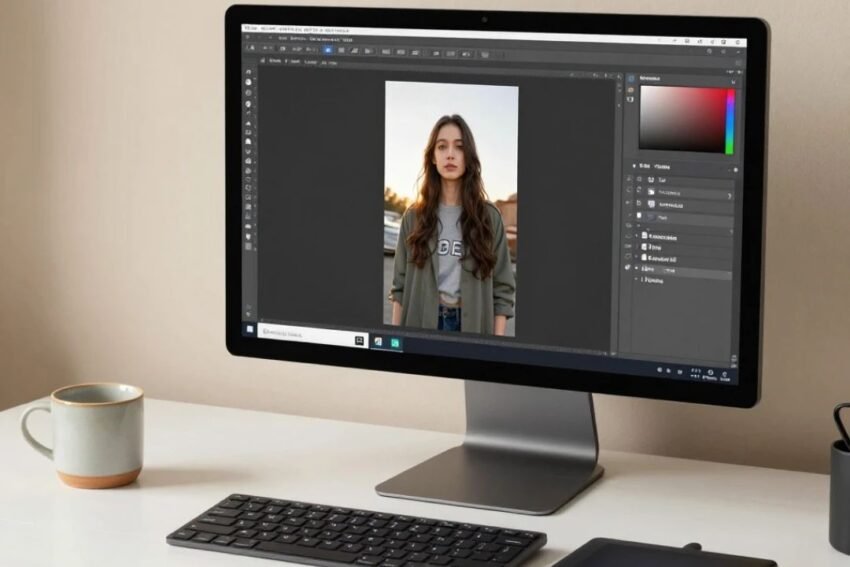
Adobe Photoshop continues to evolve as image editing and graphic design become increasingly connected with artificial intelligence, automation, cloud workflows, and digital content creation. In 2026, Photoshop is no longer simply a traditional photo-editing application. Modern features are helping users create, modify, enhance, organize, and prepare visual content more efficiently.
The top Adobe Photoshop trends in 2026 are strongly influenced by artificial intelligence. AI-assisted editing, generative image features, intelligent selections, automated retouching, and faster creative workflows are changing how beginners and professionals approach digital design.
At the same time, traditional Photoshop skills such as layers, masks, typography, color correction, compositing, and photo retouching remain important.
For photographers, designers, marketers, content creators, and businesses, understanding the latest Photoshop trends can help them use the software more effectively.
This guide explores the major Adobe Photoshop trends in 2026, including AI tools, Generative Fill, automation, professional editing, design workflows, performance, cloud collaboration, and the future of digital creativity.
What Are Adobe Photoshop Trends in 2026?
Adobe Photoshop trends are the technologies, features, workflows, and creative techniques influencing how people use Photoshop.
In 2026, several areas are particularly important:
- Artificial intelligence
- Generative editing
- Automated workflows
- Intelligent selections
- AI-powered retouching
- Cloud-based collaboration
- Advanced graphic design
- Faster content creation
- Non-destructive editing
- Social media design
These trends are helping users complete certain tasks faster while providing more creative possibilities.
1. Artificial Intelligence in Photoshop
Artificial intelligence is one of the biggest Adobe Photoshop trends in 2026.
AI can assist with tasks that traditionally required manual editing.
Potential AI-assisted capabilities include:
- Object selection
- Background removal
- Image expansion
- Object removal
- Image generation
- Creative variations
- Automated adjustments
AI does not eliminate the need for design skills. Instead, it can reduce repetitive work and give users more time to focus on creative decisions.
2. Generative Fill
Generative Fill is one of the most significant developments in modern Photoshop workflows.
It can use AI-generated content to modify selected areas of an image.
For example, users may select part of a photograph and use a text instruction to create or modify visual content.
Potential uses include:
- Adding objects
- Removing unwanted objects
- Changing backgrounds
- Expanding compositions
- Creating visual alternatives
Generative features can be especially useful when traditional editing would require significant manual work.
3. Generative Expand
Images are not always captured with the ideal composition.
Generative Expand can help users extend an image beyond its original boundaries.
This can be useful when:
- Changing image proportions
- Preparing social media graphics
- Creating wider banners
- Adjusting compositions
- Adapting photographs for different layouts
AI can generate additional visual content around the original image.
Users should still review generated areas carefully for visual consistency.
4. AI-Powered Object Removal
Removing unwanted objects is a common photo-editing task.
Traditional methods may require cloning, healing, masking, and manual reconstruction.
AI-powered removal tools can simplify some of these tasks.
Potential examples include removing:
- People
- Objects
- Background distractions
- Small imperfections
- Unwanted elements
The quality of the result depends on the image, object size, background complexity, and surrounding details.
5. Intelligent Object Selection
Selecting a subject accurately is often an important part of Photoshop editing.
AI-assisted selection can identify objects and subjects automatically.
This can help users create selections for:
- People
- Products
- Animals
- Vehicles
- Clothing
- Other recognizable objects
After automatic selection, users can refine edges manually when greater precision is required.
6. AI-Powered Background Editing
Background editing is becoming easier through AI-assisted tools.
Users can isolate a subject and modify the background for different creative purposes.
Potential applications include:
- Product photography
- Advertising
- Portrait editing
- E-commerce images
- Social media graphics
AI can help generate or modify background areas while maintaining the main subject.
7. AI-Assisted Photo Retouching
Photo retouching remains an important Photoshop application.
AI can assist with certain repetitive editing tasks, allowing users to work faster.
Retouching workflows can involve:
- Skin cleanup
- Object removal
- Lighting adjustments
- Background cleanup
- Image enhancement
Professional photographers should maintain a natural appearance and avoid excessive processing.
8. Automated Image Enhancement
Automation is another important Photoshop trend.
Modern editing workflows can use automated adjustments to improve images.
Common areas include:
- Brightness
- Contrast
- Color
- Exposure
- Sharpness
- Noise reduction
Automation can provide a useful starting point, but users can manually refine results for greater control.
9. Non-Destructive Editing Remains Essential
Even as AI becomes more important, non-destructive editing remains a fundamental Photoshop practice.
Important tools include:
- Layer masks
- Adjustment layers
- Smart Objects
- Smart Filters
- Duplicate layers
Non-destructive editing allows users to modify or reverse changes without permanently damaging the original image.
This is especially important for professional projects.
10. Advanced Layer Workflows
Layers continue to be central to Photoshop.
Modern designs may contain dozens or even hundreds of layers.
Users can organize layers into:
- Groups
- Smart Objects
- Adjustment layers
- Text layers
- Image layers
- Masks
Well-organized layers make large projects easier to edit and maintain.
11. Photoshop for Social Media Content
Social media continues to create demand for fast visual content.
Photoshop can be used to create:
- Instagram graphics
- YouTube thumbnails
- Facebook posts
- Advertising creatives
- Promotional banners
- Short-form visual content
AI tools can help speed up content creation while traditional design skills remain important for branding and visual consistency.
12. AI-Powered Design Workflows
AI is changing the complete design process rather than only individual editing tasks.
A modern workflow may look like:
- Generate an initial concept.
- Create or import visual assets.
- Remove unwanted elements.
- Modify the background.
- Generate variations.
- Adjust colors.
- Add typography.
- Review the final design.
- Export different versions.
This can reduce the time required to move from an idea to a finished design.
13. Generative AI for Creative Experimentation
Generative AI can be useful during the brainstorming stage.
Designers can experiment with:
- Different compositions
- Background concepts
- Visual themes
- Lighting ideas
- Object variations
- Artistic styles
The goal is not necessarily to use the first generated result. Instead, AI can provide ideas that designers can refine.
14. Photoshop and Digital Advertising
Businesses increasingly depend on visual content for digital marketing.
Photoshop can help create:
- Display advertisements
- Product promotions
- Social media advertisements
- Website banners
- Email graphics
- Marketing campaigns
AI-assisted features can accelerate variations for different campaigns and formats.
However, businesses should maintain consistent branding across generated content.
15. Product Photography and E-Commerce Editing
E-commerce businesses often need large numbers of product images.
Photoshop can be used for:
- Background removal
- Color correction
- Product cleanup
- Shadow creation
- Image resizing
- Marketing compositions
AI tools can help automate repetitive editing steps, especially when many product images need similar treatment.
16. Photoshop for Graphic Design
Photoshop continues to be useful for graphic designers.
Modern graphic design workflows can combine:
- Photography
- Typography
- Shapes
- Illustrations
- Textures
- AI-generated elements
Designers can create posters, banners, advertisements, promotional graphics, and digital artwork.
17. Advanced Typography
Typography remains important even in an AI-powered design environment.
Designers need to understand:
- Font selection
- Font hierarchy
- Spacing
- Alignment
- Readability
- Contrast
- Visual balance
AI may help generate design concepts, but typography decisions often require human judgment.
18. Color Correction and Color Grading
Color remains one of the most important parts of professional image editing.
Photoshop provides tools for:
- Curves
- Levels
- Hue and saturation
- Color balance
- Selective color
- Exposure
Designers can use these tools to create consistent visual styles.
AI-assisted features may speed up certain adjustments, but manual color control remains valuable.
19. Cloud-Based Creative Workflows
Modern creative work increasingly involves cloud-connected applications and collaboration.
Design teams may need to:
- Share assets
- Review designs
- Manage files
- Collaborate remotely
- Maintain project versions
Cloud-connected workflows can make it easier for teams to work across locations.
Users should still maintain appropriate file organization and backup practices.
20. Photoshop and Cross-Platform Content
Content increasingly needs to work across multiple platforms.
One design may need to be adapted for:
- Websites
- Social media
- Mobile devices
- Advertising
- E-commerce
Responsive and flexible design workflows can help creators produce multiple versions efficiently.
21. Photoshop Automation
Automation can help reduce repetitive work.
Common tasks that can benefit from automation include:
- Batch resizing
- File conversion
- Repetitive image processing
- Exporting assets
- Applying consistent adjustments
Automation is particularly useful when businesses need to process large numbers of images.
22. Batch Processing for Large Projects
Photographers and businesses often need to edit many images.
Batch processing can help apply similar operations to multiple files.
Examples include:
- Resizing images
- Converting file formats
- Applying actions
- Renaming files
- Exporting different versions
This can significantly reduce repetitive manual work.
23. Better Performance and Large Image Workflows
Professional Photoshop projects can involve high-resolution images and complex compositions.
Performance therefore remains important.
Users can improve workflows by:
- Using suitable hardware
- Managing large files carefully
- Organizing layers
- Optimizing assets
- Closing unnecessary applications
- Using appropriate document dimensions
Efficient workflows can make complex editing more manageable.
24. Photoshop for Video and Motion Graphics
Although Photoshop is primarily associated with images, it can also support certain video and animation workflows.
Users can create:
- Animated graphics
- Frame-based animations
- Visual assets
- Video overlays
- Motion concepts
For complex video editing, dedicated video applications may be more suitable, but Photoshop remains useful for preparing visual assets.
25. AI and Photoshop for Beginners
AI features can make some Photoshop tasks easier for beginners.
A new user may be able to perform tasks such as:
- Removing backgrounds
- Removing objects
- Expanding images
- Generating creative elements
However, beginners should still learn fundamental concepts such as layers, masks, selections, color, and typography.
Understanding the fundamentals makes it easier to control AI-assisted results.
26. Photoshop for Professional Creators
Professional creators can use AI as part of a broader workflow.
A professional designer may combine:
- Traditional Photoshop tools
- AI-assisted editing
- Manual retouching
- Typography
- Color grading
- Compositing
- Automation
This hybrid approach can provide both speed and creative control.
27. Copyright and Responsible AI Editing
AI-powered image editing creates important questions about copyright and content ownership.
Creators should understand:
- Licensing requirements
- Commercial-use restrictions
- Source-image rights
- Brand guidelines
- Platform policies
AI-generated or AI-modified content should also be reviewed before commercial publication.
28. Authenticity and AI-Generated Images
AI makes it easier to create realistic visual content.
This creates challenges around authenticity.
Photographers, publishers, marketers, and businesses may need to clearly distinguish between:
- Original photography
- AI-generated images
- AI-enhanced images
- Composite artwork
Transparency can become increasingly important as synthetic media becomes more common.
Benefits of the Latest Photoshop Trends
The latest Photoshop technologies can provide several benefits.
Faster Editing
AI can reduce repetitive manual work.
More Creative Possibilities
Generative features can help users experiment with new concepts.
Easier Background Editing
AI-assisted tools can simplify selections and background changes.
Better Productivity
Automation can help process multiple images more efficiently.
Flexible Content Creation
Designers can adapt visual assets for different platforms.
Improved Workflow Efficiency
Cloud and automation technologies can help teams manage creative projects.
Challenges of Photoshop Trends in 2026
Despite these improvements, users should consider several challenges.
AI Accuracy
Generated results may contain visual mistakes or inconsistencies.
Learning Curve
Photoshop remains a powerful and complex application.
Creative Quality
AI-generated content still requires human direction and refinement.
Copyright
Users need to understand the rights associated with source and generated content.
Hardware Requirements
High-resolution and complex projects can require powerful computers.
Over-Reliance on AI
Using AI for every task can reduce creative control if results are not carefully reviewed.
How to Use Photoshop Trends Effectively
A practical Photoshop workflow can combine traditional skills with modern AI tools.
- Start with a clear creative goal.
- Organize the original image and project files.
- Use AI for suitable repetitive tasks.
- Review generated results carefully.
- Use layers and masks for non-destructive editing.
- Correct colors manually when necessary.
- Check typography and composition.
- Optimize the final design for its platform.
- Review image quality before export.
- Save an editable project version.
This approach allows users to benefit from AI without losing control over the final result.
The Future of Adobe Photoshop
The future of Photoshop is likely to involve deeper integration between traditional editing and artificial intelligence.
Potential developments include:
- More advanced generative editing
- Smarter selections
- Automated retouching
- AI-assisted design
- Better workflow automation
- Natural-language editing
- Faster image processing
- Improved collaboration
As these capabilities develop, Photoshop may become an increasingly intelligent creative environment.
However, professional design principles such as composition, color, typography, visual hierarchy, and storytelling will remain important.
Conclusion
The top Adobe Photoshop trends in 2026 demonstrate how rapidly image editing is changing.
Artificial intelligence, Generative Fill, Generative Expand, intelligent selections, AI-powered object removal, automated retouching, cloud workflows, and creative automation are helping users complete many tasks more efficiently.
At the same time, traditional Photoshop skills remain essential. Layers, masks, selections, color correction, typography, compositing, and non-destructive editing provide the foundation for professional creative work.
AI should be viewed as a powerful addition to the creative workflow rather than a replacement for human creativity and judgment.
For photographers, designers, marketers, businesses, and content creators, learning how to combine Adobe Photoshop tools with AI-powered features can create more efficient and flexible workflows.
As Photoshop continues to integrate artificial intelligence, automation, and advanced creative technologies, the future of digital image editing is likely to become faster, more interactive, and increasingly accessible to both beginners and professional creators.